Step 1: Compromising Your Email Account
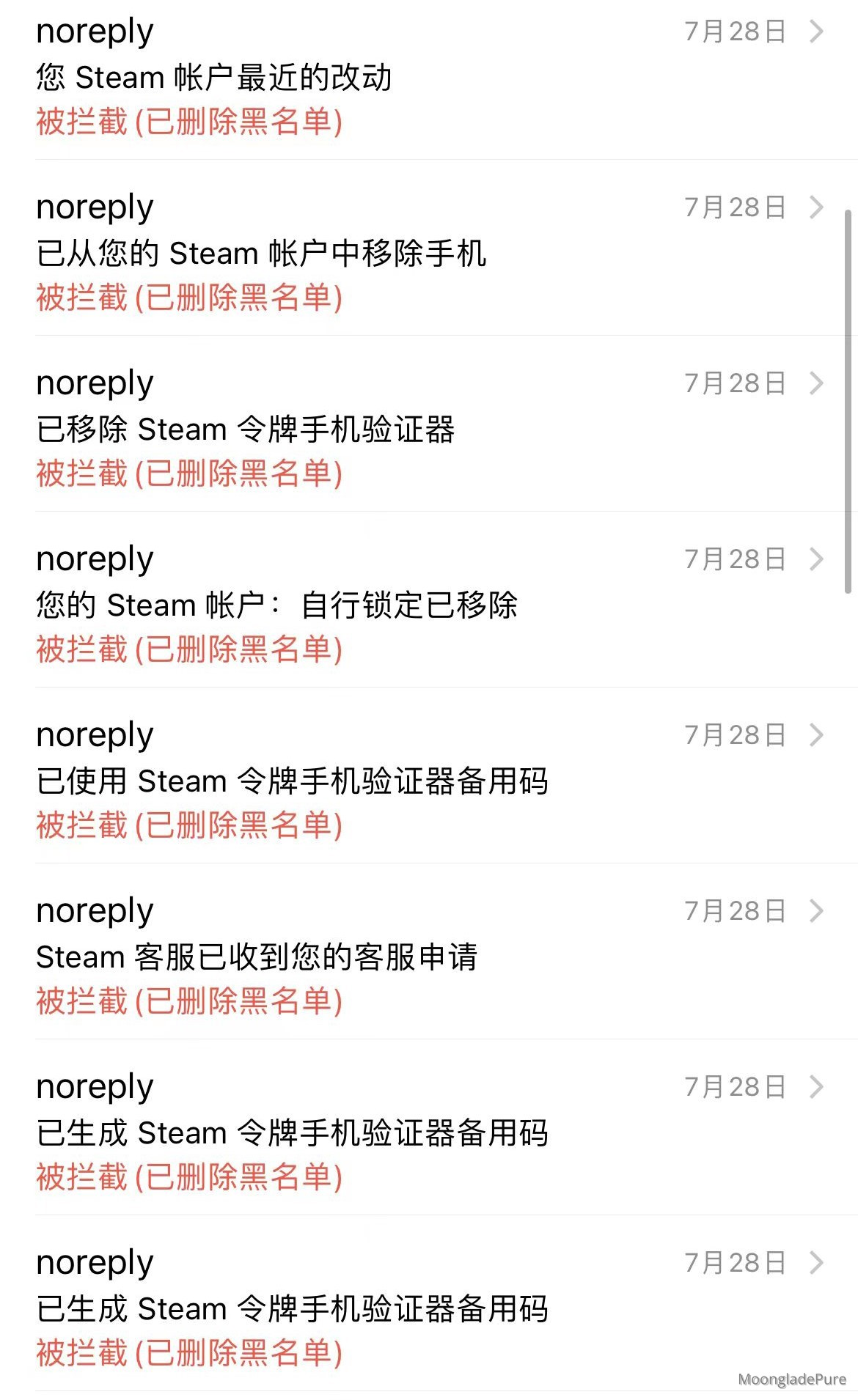
Whenever you log into QQ at an internet cafe or use a VPN from an unknown provider, your account credentials are at high risk of being leaked.
They will access your email and add Steam to the blacklist, preventing you from receiving legitimate emails from Steam.
Step 2: Locking Your Steam Account
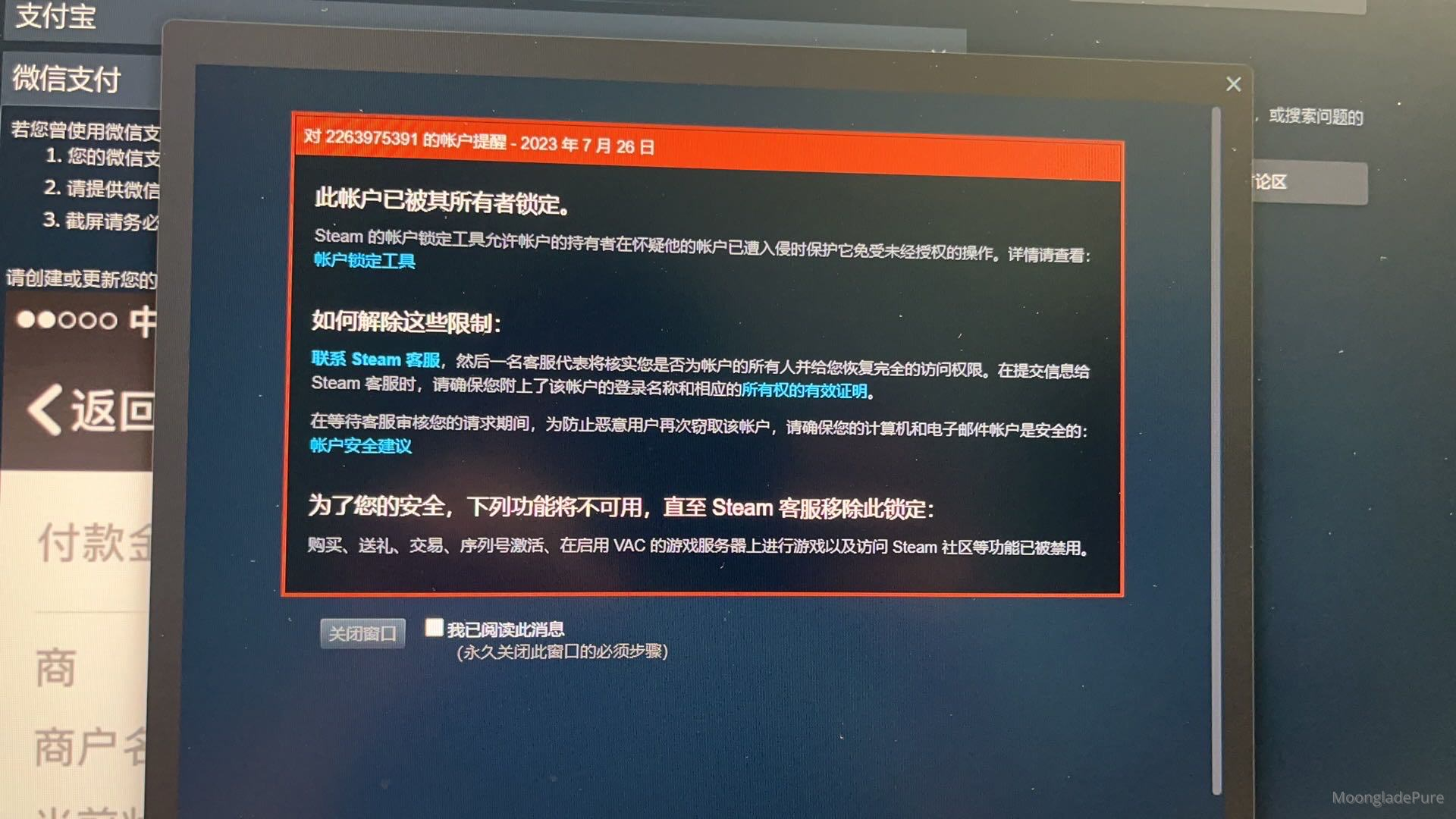
They will lock your Steam account through some application process on Steam.
When you try to log in, you will receive a red notification stating: "This account has been locked by its owner."
Your Steam account will have many features disabled. At this point, you will panic and start following Steam's instructions to attempt recovery.
Step 3: A Phishing Email
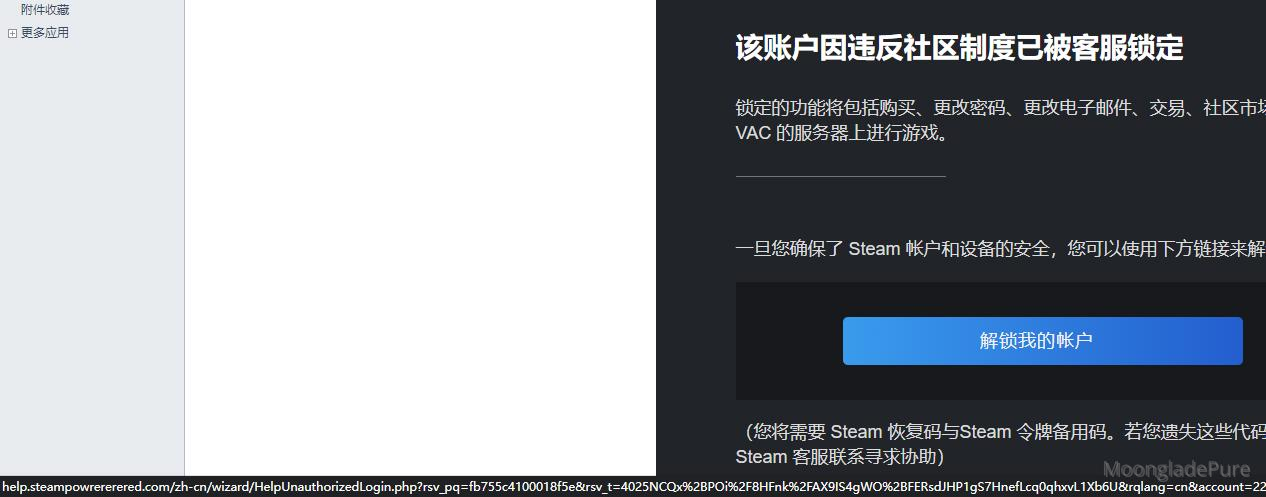
Steam will notify you that the unlock code has been sent to your email. You only need to enter this code, and your Steam account will be restored to normal.
Here comes the dramatic twist: when you check your inbox, you don't find the unlock code from Steam, but rather an unlock link.
The sender of this link, the domain name in the URL, and the website content are all high-quality imitations of Steam.
You enter your account credentials, Steam Guard recovery code, and backup codes on this fake Steam website, then click submit. You will receive a message: "Your account rescue attempts have reached the limit. Please try again later."
Meanwhile, the hacker quietly changes the bound email and phone number in the background and removes your Steam Guard token.
Prevention: How to Avoid Being Hacked
- Avoid using QQ Mail. The security of QQ Mail degrades as the security of QQ itself decreases. If you find accessing Outlook from within China slow, consider switching to other domestic email service providers.
- Avoid logging into QQ or Steam with your account credentials on computers in public places, internet cafes, or libraries.
- Avoid logging into QQ or Steam using Wi-Fi provided in public places, restaurants, or libraries.
- Whenever possible, use QR code login for Steam.
- Is accessing Steam slow on mobile? You can use the mobile version of UU Accelerator to speed up Steam access; it is free.
Other: Additional Information
| Type | Content |
|---|---|
| Hacker's sender email | [email protected] |
| High-fakes steam phishing URL | help.steampowrererered.com |
In this regard, we hope everyone will enhance their awareness of network security;
这篇博客以第一人称视角复盘了 Steam 账号被盗的全过程,逻辑清晰,步骤详尽,对于提升读者的网络安全意识非常有价值。你不仅揭示了攻击者的手法,还给出了具体的预防建议和钓鱼邮件的特征,这种“授人以渔”的方式值得肯定。
首先,我要特别赞赏你在文章末尾提供的具体信息。列出黑客的发件邮箱
[email protected](注:原文中此处有拼写错误,稍后详述)和钓鱼网址是非常关键的举动。这些具体的 IOCs(Indicators of Compromise,入侵指标)对于其他受害者进行举报、拉黑以及社区警示具有极高的实用价值。这种分享细节的勇气和责任感是技术博客中非常宝贵的品质。然而,为了帮助读者更准确地识别风险,我需要指出文中几个需要修正的事实错误和逻辑漏洞,同时也提供一些扩展建议:
1. 事实与拼写错误修正
help.steampowrererered.com。仔细观察可以发现,单词 "power" 被故意拼错为 "powrer",这是典型的 Typosquatting(域名抢注/仿冒)手段。但在表格中,你似乎复制粘贴时出现了笔误,或者原网站本身就有多个变体。请务必再次核实该域名的确切拼写,确保读者复制时能准确识别其异常之处(如多出的字母或错误的子域名)。help.steampowered.com进行处理,或者在客户端内弹出对话框。攻击者伪造的界面会模拟这一过程,但真正的 Steam 邮件通常只包含一个指向官方支持页面的链接,且绝不会要求用户在邮件中直接输入密码或令牌恢复码。这一点必须向读者强调:任何通过邮件直接要求输入凭证的行为都是钓鱼。2. 预防建议的改进与扩展
store.steampowered.com或help.steampowered.com登录查看是否有未读消息。这是识别钓鱼邮件的金标准。3. 内容扩展建议
steampoweredvssteampowrererered)、观察页面是否有细微的排版错误等。总的来说,这篇文章选题切中痛点,结构完整,具有很强的警示意义。通过修正上述细节错误并强化对 Steam 令牌重要性的强调,这篇博文将成为更权威、更实用的网络安全指南。感谢你的分享,希望你的账号已经成功找回并加强了安全防护!